Obsidian未完成ノート記録プラグイン作成ログ-2
Obsidian未完成ノート記録プラグイン作成ログ-1 | Obsidian未完成ノート記録プラグイン作成ログ-3
obsidian-reminder/src/controller.ts at master · uphy/obsidian-reminder
Reminder plugin for Obsidian. Contribute to uphy/obsidian-reminder development by creating an account on GitHub.

このプラグインを参考にすると
保管庫のファイルを取得するにはこんな感じのコードになるらしい
async reloadAllFiles() {
	console.debug("Reload all files and collect reminders");
	this.reminders.clear();
	for (const file of this.vault.getMarkdownFiles()) {
		await this.reloadFile(file, false);
	}
	this.reloadUI();
}this.vault.getMarkdownFiles()ですべてのファイルを取得できるらしい
それをforで取得している。
reloadFileの中身は以下のようになっていた
async reloadFile(file: TAbstractFile, reloadUI: boolean = false) {
    if (!(file instanceof TFile)) return false;
    if (!this.isMarkdownFile(file)) return false;
    const content = new Content(file.path, await this.vault.cachedRead(file));
    const reminders = content.getReminders();
    if (reminders.length > 0) {
      if (!this.reminders.replaceFile(file.path, reminders)) {
        return false;
      }
    } else {
      if (!this.reminders.removeFile(file.path)) {
        return false;
      }
    }
    if (reloadUI) {
      this.reloadUI();
    }
    return true;
}reloadUIは以下のようになっていた。
private reloadUI() {
	if (this.viewProxy === null) return;
	this.viewProxy.reload(true);
}
たぶんUIを作成した方がいいかも
Home - Developer Documentation
Home - Developer Documentation
React で作ろ
Use React in your plugin - Developer Documentation
Use React in your plugin - Developer Documentation
まず依存関係を設定
npm install react react-domそしてReactの型定義を追加する
npm install --save-dev @types/react @types/react-domtsconfig.jsonのcompilerOptionsでJSXサポートを有効にする。
{
	"compilerOptions": {
		"jsx": "react-jsx"
	}
}Reactのエントリポイントであるファイルを作成する
import React from "react";

export const ReactView = () => {
	return <h4>Heelo!</h4>;
}
React コンポーネントを使用するには、HTML 要素にマウントする必要がある。ReactViewをthis.containerEl.children[1]にマウントする。
サンプルを呼び出してみたけど。。。
this.addCommand({
	id: 'react-sample',
	name: 'react サンプル',
	callback: () => {
		let urmView = new URMView(new WorkspaceLeaf());
		urmView.onOpen();
	}
});
こうじゃなくて
mian.tsの中に
async activateView() {
	const { workspace } = this.app;
	let leaf: WorkspaceLeaf | null = null;
	const leaves = workspace.getLeavesOfType(VIEW_TYPE_URM_DEFAULLT);
	if (leaves.length > 0) {
		leaf = leaves[0];
	} else {
		leaf = workspace.getRightLeaf(false);
		await leaf!.setViewState({ type: VIEW_TYPE_URM_DEFAULLT, active: true });
	}
	workspace.revealLeaf(leaf!);
}
と書く。
そして呼び出す。
this.addRibbonIcon("dice", "Activate view", () => { this.activateView(); });とりあえず表示はできたけどなんかおかしい
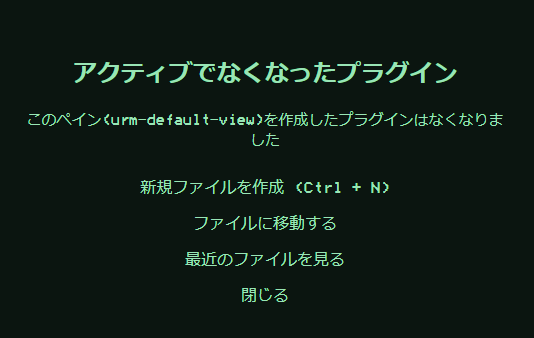
なんか
main.tsのonLoadメソッドの中身にViewを登録するコードを書かなきゃいけないらしい。
this.registerView(
	VIEW_TYPE_URM_DEFAULLT,
	(leaf) => new URMView(leaf)
);このVIEW_TYPE_URM_DEFAULT定数でいろいろViewは管理しているらしい。
TypeScriptの高階関数を使用してこのメソッドを分離しよう。
Reactの初期設定についてらへんちょっと読み返そうかな
描画コンポーネントの勉強も兼ねてやる
